 Voila
VoilaHow it works
From a found water bottle to a happy family, in a few taps.
Watch the demos
Short walkthroughs of the app in action.
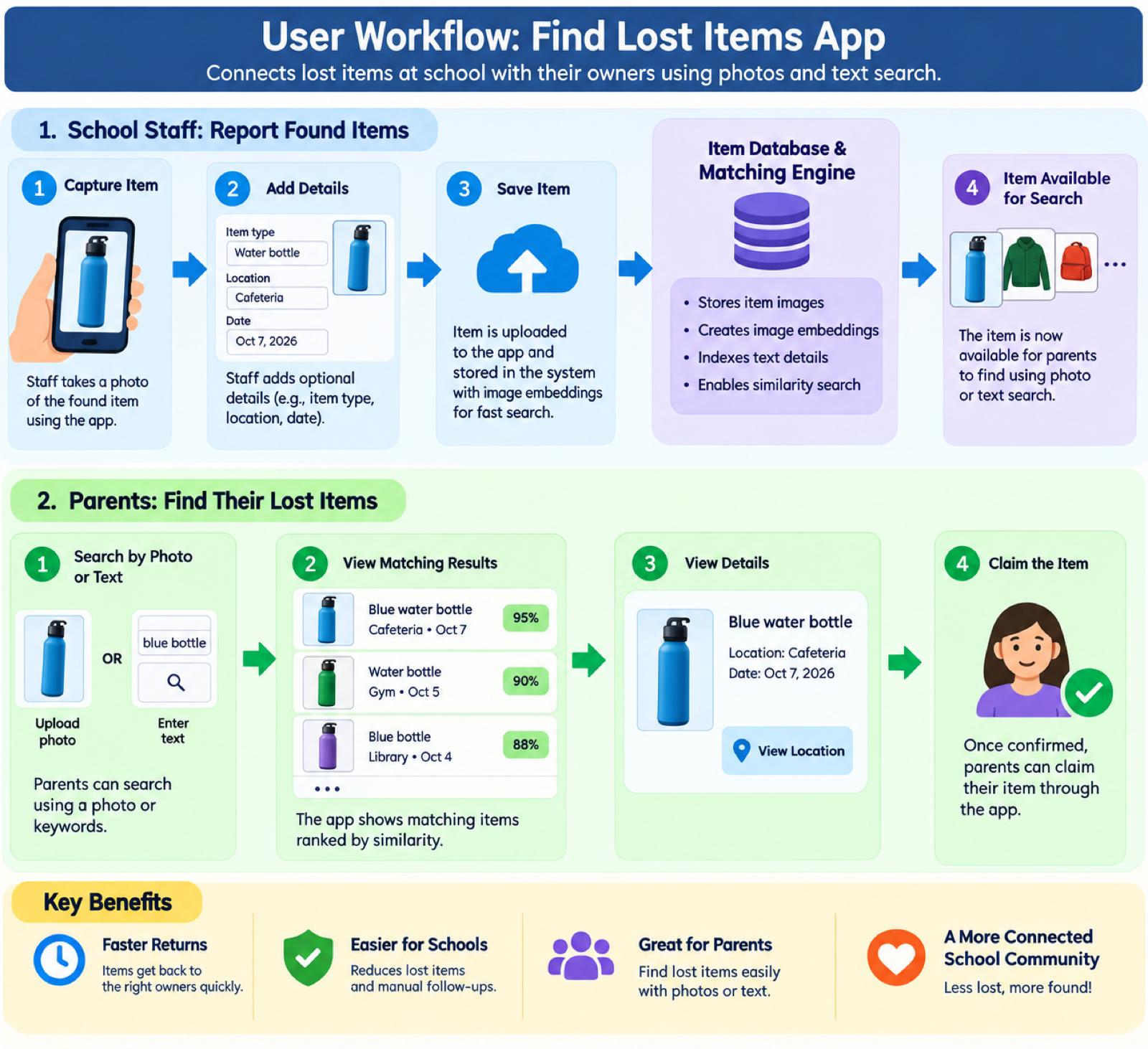
1. Parents find their items
- Add your itemsAdd pictures of all your students' items and keep them in your inventory, so you can receive an alert if they get lost.
- SearchUpload a photo of a similar item, or type a few keywords.
- Review matchesResults are ranked by similarity, with location and date.
- View detailsOpen a result for the full photo and where to pick it up.
- ClaimTap "This is mine". Staff approve and hand it over.
2. School staff report found items
- CaptureTake a photo of the item with the app.
- Add detailsOptionally note the item type, where to collect it and when.
- SaveThe photo is uploaded, cleaned up and converted into an image embedding for fast search.
- SearchableThe item instantly appears for parents, and likely owners can be alerted.
The whole workflow at a glance
Under the hood
Voila runs entirely on Amazon Web Services.
- Amazon Bedrock (Titan multimodal embeddings) powers visual similarity search and background removal.
- Amazon S3 Vectors indexes item photos; S3 stores the images.
- Amazon Cognito handles sign-in; DynamoDB, API Gateway and Lambda run the backend.